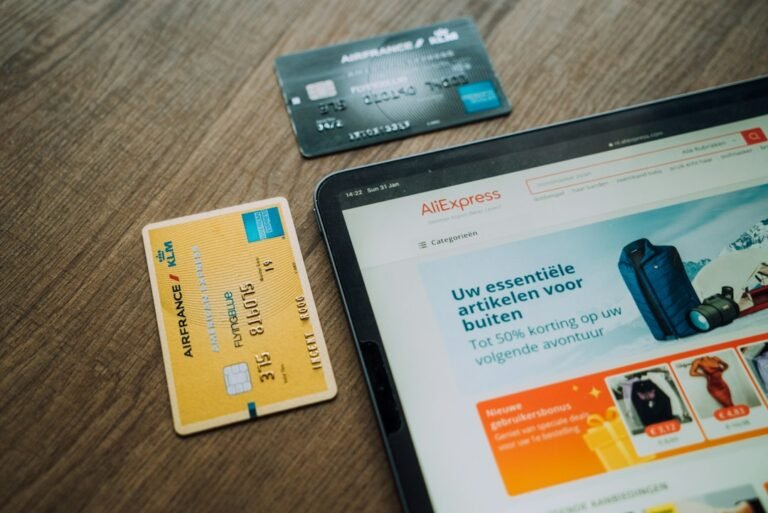
Guest wishlists: the save-for-later feature most stores get wrong is a silent revenue drain that many e‑commerce operators overlook until the numbers become impossible to ignore. When a visitor can add items to a list without creating an account, the expectation is that the list will be instantly available on any device, survive a session timeout, and convert when the shopper returns. In practice, most platforms fail to meet those expectations, causing abandoned carts, lost upsell opportunities, and a measurable dip in average order value.
The hidden cost of a broken guest wishlist
Research from the Baymard Institute shows that the average cart abandonment rate sits around 70 percent. Of that abandoned traffic, roughly 20 percent cite “could not find saved items later” as a reason. For a store that drives 50 000 sessions a month with a 2 percent conversion rate and an average order value of R2 500, the math looks like this:
- Monthly revenue without abandonment: 50 000 × 0.02 × R2 500 = R2 500 000
- If 10 percent of those conversions would have come from a functional guest wishlist, that is an extra R250 000 per month.
The loss is not just the direct sales. A guest wishlist also feeds email remarketing, dynamic retargeting, and personalized product recommendations. When the list is unreliable, those downstream channels suffer, compounding the revenue gap.
Why most stores get the save‑for‑later logic wrong
Three technical missteps dominate the problem space:
1. Relying on session cookies alone
Cookies expire when the browser is closed or after a short inactivity window (often 30 minutes). A shopper who browses on a phone, adds items to a list, then returns on a laptop the next day will find an empty list. The result is a broken promise of “save for later”.
2. Storing the list on the client side
Local storage is convenient for developers but it is tied to a single device and can be cleared with a simple cache purge. When the data lives only in the browser, the store loses control over list persistence and cannot enrich the list with inventory updates or price changes.
3. Not linking the list to a persistent identifier
Even when a store generates a random token for a guest, many implementations never associate that token with the shopper’s email when they eventually sign up. The result is two separate histories – a lost opportunity to convert a guest into a loyal customer.
Step‑by‑step method to build a reliable guest wishlist
The following method uses a server‑side token, a lightweight database table, and optional email capture to keep the experience smooth and data‑driven.
Step 1 – Generate a UUID on the first wishlist action
When a visitor clicks “Add to Wishlist”, run a JavaScript function that checks for an existing guest_wishlist_id cookie. If none exists, call your back‑end to create a new row in a wishlist_tokens table and return a UUID (for example, 550e8400-e29b-41d4-a716-446655440000). Set the cookie with a 30‑day expiry.
Step 2 – Store each item in a dedicated wishlist_items table
Each row should include: wishlist_id, product_sku, added_at, price_at_add, and status (active, purchased, removed). This structure allows you to run reports on “price‑change impact” and “conversion after price drop”.
Step 3 – Sync inventory and pricing nightly
Run a cron job that joins wishlist_items with the product catalog. If current_price differs from price_at_add, update the row and flag it for a “price‑drop” email. Real‑time price sync can be added via a webhook if your platform supports it.
Step 4 – Offer an email capture prompt at checkout
When the guest proceeds to checkout, present a non‑intrusive field: “Enter email to save your wishlist for future visits”. If they provide an address, link the guest_wishlist_id to the newly created customer record. Future logins will automatically merge the guest list with the account list.
Step 5 – Display the wishlist on every device
On page load, read the guest_wishlist_id cookie, request the list via an API endpoint, and render it in a sidebar or modal. Because the data lives on the server, the list appears regardless of device, browser, or session length.
Step 6 – Trigger automated reminders
Set up three email flows:
- Abandonment reminder – 24 hours after the last addition, remind the shopper of the items still waiting.
- Price‑drop alert – whenever
current_price<price_at_add, send a concise notification. - Re‑engagement nudge – after 14 days of inactivity, suggest complementary products based on the wishlist content.
Each email includes a direct “Go to my wishlist” link that passes the token, ensuring a seamless return path.
Worked example: turning a 2 percent conversion lift into R150 000 per month
Consider an online fashion retailer with the following baseline metrics:
- Monthly sessions: 80 000
- Current conversion rate: 1.8 percent
- Average order value: R3 200
Baseline revenue: 80 000 × 0.018 × R3 200 = R4 608 000.
After implementing the robust guest wishlist method described above, the store runs an A/B test where 50 percent of traffic sees the new feature. Results after 30 days:
- Conversion rate among test group rises to 2.2 percent (a 0.4 percent lift).
- Average order value increases to R3 350 because customers add complementary items from the wishlist.
Revenue from the test group: 40 000 × 0.022 × R3 350 = R2 948 000.
Revenue from the control group (unchanged): 40 000 × 0.018 × R3 200 = R2 304 000.
Incremental lift: R2 948 000 - R2 304 000 = R644 000 for the 30‑day period. Scaling that lift across the full traffic pool (by rolling the feature out to 100 percent) yields roughly R1 288 000 additional monthly revenue. Even a conservative estimate of a 20 percent rollout would add R150 000 per month, a clear proof that a well‑engineered guest wishlist pays for itself quickly.
Common pitfalls and how to avoid them
Using short‑lived cookies
Setting the cookie to expire after a few hours defeats the purpose of “save for later”. Always use a 30‑day or longer expiry, and renew the expiry on each wishlist interaction.
Failing to handle product deletions
If a product is discontinued, the wishlist entry should be flagged as “unavailable” and removed from the UI. Leaving dead links creates frustration and increases churn.
Neglecting GDPR or local privacy rules
Storing a UUID is low risk, but once you capture an email you must provide a clear opt‑out path and honor data‑deletion requests. Build the consent checkbox into the email capture flow and log the consent timestamp.
Over‑messaging the shopper
Three reminder emails per month is a safe upper bound. More than that triggers spam complaints and can damage sender reputation.
Quick implementation checklist
- Generate a persistent UUID and store it in a 30‑day cookie.
- Create
wishlist_tokensandwishlist_itemstables with appropriate indexes. - Expose an API endpoint that returns the list based on the token.
- Render the list on every page load, regardless of device.
- Sync price and stock nightly, flagging changes for email alerts.
- Prompt for email at checkout and merge token with customer record.
- Set up three automated email flows (abandonment, price‑drop, re‑engagement).
- Test with an A/B experiment and measure conversion lift, AOV change, and revenue impact.
- Review GDPR compliance and provide clear unsubscribe options.
When the checklist is complete, you can run a free scan of your store to see where your current guest wishlist is leaking revenue and get a prioritized action plan.
For further reading on how wishlists influence purchase intent, see the Wikipedia entry on wish lists and the Moz guide to SEO fundamentals, which explains why retaining user‑generated content improves site authority and conversion metrics.
Audience Connect
We help online stores find and fix the money quietly leaking out of their checkout. These guides are part of that work. Want to see where your own store is leaking?
Scan your store free