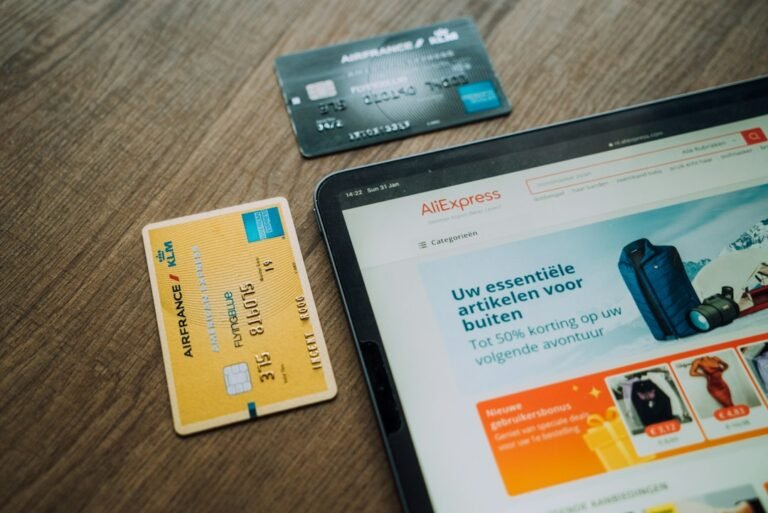
Subscription checkout design: reducing churn at the point of signup is the most direct way to protect recurring revenue without spending on new acquisition.
The hidden cost of a broken subscription checkout
When a shopper abandons a subscription form, the loss is not just a single sale. Each missed signup represents a future stream of revenue that never materialises. Industry benchmarks show that the average customer lifetime value for a subscription business can be five to ten times the value of a one‑off purchase. If a checkout conversion rate drops from 25 % to 15 %, a store that receives 10 000 visitors a month loses the equivalent of 250 recurring customers per year. That shortfall can translate into tens of thousands of rand in lost revenue, depending on the price point.
Research from the Baymard Institute indicates that checkout friction points increase abandonment by up to 35 %. While most of that data focuses on one‑off carts, the same principles apply to recurring signups. A hidden cost is also the extra effort required to re‑engage a prospect who abandoned at the subscription stage – email flows, discount offers, and retargeting ads all add to the expense.
Core principles of a friction‑free subscription checkout
Before diving into tactics, it helps to anchor the redesign around three proven principles:
- Simplicity – Only ask for information that is essential to start the subscription. Every extra field adds decision fatigue.
- Clarity – Communicate the price, billing frequency, and cancellation policy in plain language before the final button.
- Trust – Show security badges, a clear refund policy, and social proof to reassure the shopper.
Applying these principles reduces cognitive load, which directly lowers the likelihood of churn at signup. A study by the Nielsen Norman Group on form usability found that removing optional fields can improve completion rates by up to 20 %.
Step‑by‑step method to redesign for lower churn
The following method can be implemented in four phases. Each phase includes concrete actions and measurable targets.
Phase 1 – Audit the existing flow
Map every step from the product page to the confirmation screen. Record the number of fields, required clicks, and any redirects. Use a tool such as Google Tag Manager to fire an event on each interaction and calculate the drop‑off rate between steps. Set a baseline conversion rate; this will be your reference point for improvement.
Phase 2 – Trim and reorder fields
Identify fields that are not required for the first payment. Common candidates are:
- Phone number (collect later for support)
- Address line 2 (often unused)
- Marketing consent checkboxes (can be asked after the first charge)
Reorder the remaining fields so that the most important ones – email, payment details, and billing frequency – appear first. Use inline validation to alert the shopper immediately if a field is incorrect.
Phase 3 – Strengthen price communication
Place the total recurring price next to the primary call‑to‑action button. Include a short breakdown, for example: “R199 per month – billed today”. Add a collapsible section that explains discounts, taxes, and any trial period. The goal is to eliminate surprise at the moment of payment.
Phase 4 – Add trust signals and exit‑intent offers
Insert a security badge from the payment processor (e.g., Stripe) directly above the payment fields. Show a short testimonial or rating star line that references the subscription experience. If the shopper moves the cursor toward the back button, trigger a gentle overlay offering a 10 % discount on the first month, but only if they continue to the payment step.
Phase 5 – Test and iterate
Run an A/B test comparing the original checkout to the redesigned version. Use a sample size calculator to ensure statistical significance; for a traffic level of 5 000 visitors per month, a 5 % lift can be detected with 95 % confidence in roughly four weeks. Measure not only conversion rate but also the churn rate of the first month, which can be tracked via your subscription platform’s analytics.
Worked hypothetical example
Consider a store that sells a monthly wellness box at R299. The current subscription checkout has a 22 % conversion rate and a first‑month churn of 12 % (customers who cancel within 30 days). The store receives 8 000 checkout visits per month.
Baseline revenue:
- Converted sign‑ups: 8 000 × 22 % = 1 760 customers
- Revenue from month 1: 1 760 × R299 ≈ R525 640
- Revenue after churn: 1 760 × (1 - 12 %) × R299 ≈ R462 000
After applying the step‑by‑step method, the store achieves the following improvements:
- Conversion rate rises to 28 % (a 6‑point gain)
- First‑month churn drops to 8 % (a 4 point reduction)
New figures:
- Converted sign‑ups: 8 000 × 28 % = 2 240 customers
- Revenue from month 1: 2 240 × R299 ≈ R670 560
- Revenue after churn: 2 240 × (1 - 8 %) × R299 ≈ R618 000
The net lift in retained revenue is roughly R156 000 per month, or an annual increase of R1.87 million, achieved without any new traffic. This example illustrates how a focused redesign can directly impact the bottom line.
If you want to see where your store is leaking, run a free scan of your store and get a data‑driven action plan.
Common pitfalls and how to avoid them
Even experienced operators can stumble. Below are typical mistakes and corrective steps.
- Over‑loading the form with optional fields – The temptation to collect as much data as possible early on leads to higher abandonment. Keep optional fields on a later profile page.
- Hiding the price until the last step – Shoppers who discover a higher price at the final button feel misled and are more likely to abandon. Show the recurring price upfront.
- Using ambiguous language – Phrases like “billing cycle” can confuse non‑technical shoppers. Use plain terms such as “every month” or “per year”.
- Neglecting mobile optimisation – A checkout that requires small taps or horizontal scrolling loses mobile users. Ensure input fields are full‑width and the keyboard type matches the field (email, numeric).
- Skipping post‑checkout confirmation – A clear thank‑you page with next steps reduces early churn. Include a summary of the subscription, a link to manage the account, and contact details for support.
Quick implementation checklist
Use this list to verify that each element of the redesign is in place before launching the test.
- Audit current checkout flow and record baseline metrics.
- Remove all non‑essential fields from the first page.
- Place the recurring price next to the primary CTA button.
- Add security badge and one short testimonial above the payment fields.
- Implement inline validation for email and card number.
- Configure an exit‑intent overlay with a limited‑time discount.
- Set up A/B test with a minimum of four weeks of data collection.
- Track both conversion rate and first‑month churn in the analytics platform.
- Iterate based on statistical results, focusing on the element with the biggest lift.
By following the method outlined above, subscription merchants can reduce churn at the moment of signup, protect recurring revenue, and grow without increasing acquisition spend.
Further reading: Baymard Institute’s checkout and cart abandonment research.
Audience Connect
We help online stores find and fix the money quietly leaking out of their checkout. These guides are part of that work. Want to see where your own store is leaking?
Scan your store free