Auditing your WooCommerce store for conversion leaks
Auditing your WooCommerce store for conversion leaks is a crucial step in identifying areas where your store is losing potential sales. Conversion leaks occur when a visitor to your site does not complete the desired action, such as making a purchase. This can happen due to various reasons, including a complicated checkout process, lack of trust indicators, or poor website performance. In this article, we will discuss how to audit your WooCommerce store for conversion leaks, and provide a step-by-step guide on how to fix them.
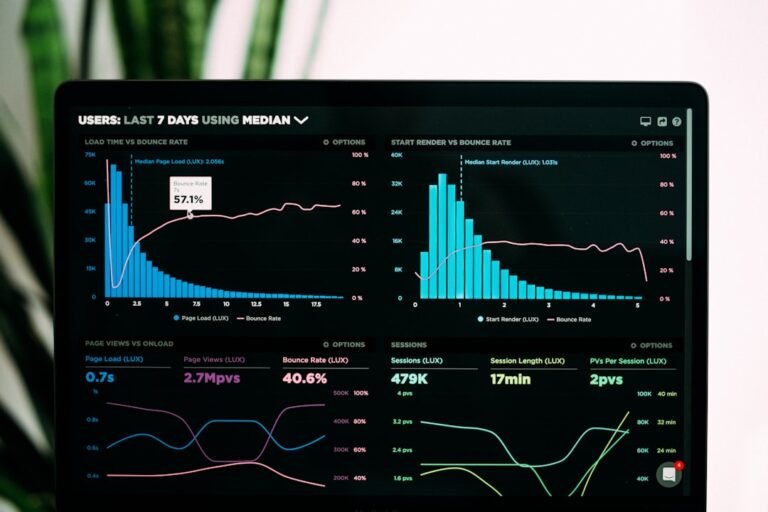
According to a study by Google Search Central, a one-second delay in page load time can result in a 7% reduction in conversions. This highlights the importance of optimizing your website’s performance to minimize conversion leaks. Auditing your WooCommerce store for conversion leaks involves analyzing various aspects of your site, including the checkout process, product pages, and overall user experience.
Identifying conversion leaks in your WooCommerce store
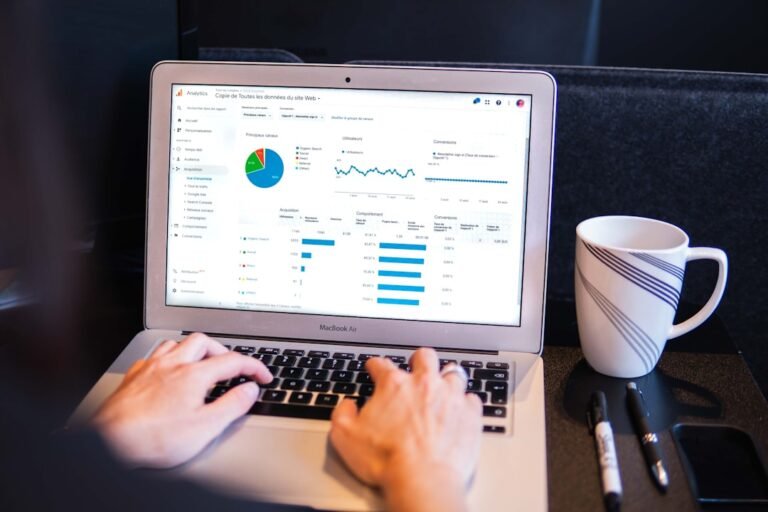
To identify conversion leaks in your WooCommerce store, you need to analyze your website’s data and user behavior. This can be done using tools such as Google Analytics, which provides insights into your website’s traffic, bounce rate, and conversion rate. You can also use tools such as WooCommerce extensions, which provide detailed reports on your store’s performance and customer behavior.
Some common areas where conversion leaks occur in WooCommerce stores include the checkout process, product pages, and shopping cart. A complicated checkout process can lead to cart abandonment, resulting in lost sales. Product pages that lack detailed product information, customer reviews, and high-quality product images can also contribute to conversion leaks. Additionally, a slow-loading website can lead to a high bounce rate, resulting in lost traffic and potential sales.
Common conversion leaks in WooCommerce stores
- Complicated checkout process
- Lack of trust indicators, such as SSL certificates and security badges
- Poor website performance, resulting in slow page load times
- Lack of detailed product information and high-quality product images
- Insufficient customer reviews and ratings
- Unclear or confusing product pricing and shipping information
By identifying these common conversion leaks, you can take steps to address them and improve your store’s overall conversion rate. This can involve simplifying the checkout process, adding trust indicators, optimizing website performance, and providing detailed product information and customer reviews.
A step-by-step guide to auditing your WooCommerce store for conversion leaks
Auditing your WooCommerce store for conversion leaks involves a thorough analysis of your website’s data and user behavior. Here is a step-by-step guide on how to do it:
- Install and configure Google Analytics and WooCommerce extensions to track your website’s traffic, conversion rate, and customer behavior
- Analyze your website’s data to identify areas with high bounce rates, cart abandonment, and low conversion rates
- Review your checkout process to ensure it is simple and straightforward, with clear and concise language
- Check for trust indicators, such as SSL certificates and security badges, and add them if necessary
- Optimize your website’s performance by compressing images, minifying code, and using a content delivery network (CDN)
- Review your product pages to ensure they provide detailed product information, high-quality product images, and customer reviews
By following these steps, you can identify and address conversion leaks in your WooCommerce store, resulting in improved sales and revenue.
Applying the audit results to fix conversion leaks
Once you have identified conversion leaks in your WooCommerce store, you can apply the audit results to fix them. This involves making changes to your website’s design, functionality, and user experience. For example, if you find that your checkout process is complicated, you can simplify it by reducing the number of steps, providing clear and concise language, and offering guest checkout options.
If you find that your website’s performance is slow, you can optimize it by compressing images, minifying code, and using a CDN. You can also add trust indicators, such as SSL certificates and security badges, to increase customer trust and confidence. Additionally, you can review your product pages to ensure they provide detailed product information, high-quality product images, and customer reviews.
To apply the audit results, you can use various tools and plugins, such as WooCommerce extensions, WordPress plugins, and third-party services. For example, you can use a plugin like WooCommerce Checkout Manager to simplify your checkout process, or a plugin like WP Super Cache to optimize your website’s performance.
Case study: Fixing conversion leaks in a WooCommerce store
A case study by Moz found that a WooCommerce store was experiencing a high cart abandonment rate due to a complicated checkout process. The store owner simplified the checkout process by reducing the number of steps, providing clear and concise language, and offering guest checkout options. As a result, the store’s conversion rate increased by 25%, resulting in a significant increase in sales and revenue.
This case study highlights the importance of auditing your WooCommerce store for conversion leaks and applying the audit results to fix them. By identifying and addressing conversion leaks, you can improve your store’s overall conversion rate, resulting in increased sales and revenue.
Conclusion and next steps
Auditing your WooCommerce store for conversion leaks is a crucial step in identifying areas where your store is losing potential sales. By following the steps outlined in this article, you can identify and address conversion leaks, resulting in improved sales and revenue. To get started, you can run a free scan of your store using our free store scanner, which provides a detailed report on your store’s performance and conversion leaks. By taking the necessary steps to fix conversion leaks, you can improve your store’s overall conversion rate and increase sales and revenue.
Audience Connect
We help online stores find and fix the money quietly leaking out of their checkout. These guides are part of that work. Want to see where your own store is leaking?
Scan your store free