How to audit your Shopify store for conversion leaks is a critical task for online store owners and operators who want to maximize their sales from existing traffic. Conversion leaks occur when potential customers abandon their shopping carts or fail to complete the checkout process, resulting in lost revenue for the store. According to a study by the Baymard Institute, the average cart abandonment rate is around 69.57%, which translates to a significant loss of potential sales.
Auditing a Shopify store for conversion leaks involves identifying and fixing issues that prevent customers from completing their purchases. This can include problems with the checkout process, issues with payment gateways, and poor user experience. By addressing these issues, store owners can increase their conversion rates and reduce the number of abandoned carts.
Understanding the Conversion Funnel
To audit a Shopify store for conversion leaks, it is essential to understand the conversion funnel. The conversion funnel refers to the series of steps that a customer takes from landing on a store’s website to completing a purchase. The funnel typically includes the following stages: landing page, product page, cart page, and checkout page. Each stage of the funnel represents a potential point of leakage, where customers may abandon their purchases.
By analyzing the conversion funnel, store owners can identify where the leaks are occurring and take steps to fix them. For example, if a large number of customers are abandoning their carts at the checkout page, it may indicate a problem with the payment gateway or the checkout process. By addressing this issue, store owners can reduce the number of abandoned carts and increase their conversion rates.
According to a study by Google Search Central, understanding the conversion funnel is critical to optimizing the checkout process and reducing cart abandonment rates. By analyzing the funnel, store owners can identify areas for improvement and make data-driven decisions to optimize their stores.
A Step-by-Step Guide to Auditing a Shopify Store
Auditing a Shopify store for conversion leaks involves a series of steps that help identify and fix issues that are preventing customers from completing their purchases. The following is a step-by-step guide to auditing a Shopify store:
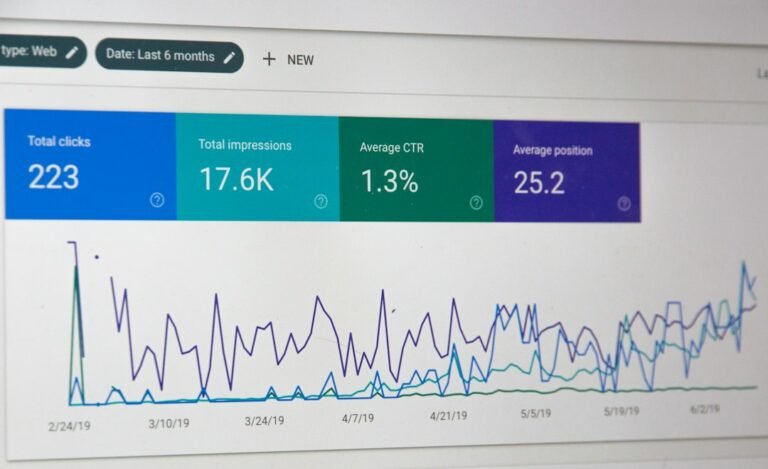
- Review the store’s analytics: The first step in auditing a Shopify store is to review the store’s analytics. This includes analyzing the store’s traffic, conversion rates, and cart abandonment rates. By reviewing the analytics, store owners can identify areas of the store that are underperforming and prioritize their efforts.
- Identify the conversion funnel: The next step is to identify the conversion funnel and analyze each stage of the funnel. This includes reviewing the landing page, product page, cart page, and checkout page to identify potential points of leakage.
- Conduct user testing: Conducting user testing is an essential step in auditing a Shopify store. This involves observing real customers as they navigate the store and identifying areas of friction or confusion. By conducting user testing, store owners can identify issues that are preventing customers from completing their purchases.
- Review the checkout process: The checkout process is a critical stage of the conversion funnel, and it is essential to review it carefully. This includes reviewing the payment gateways, shipping options, and checkout forms to ensure that they are working correctly.
- Test the payment gateways: Testing the payment gateways is an essential step in auditing a Shopify store. This involves testing each payment gateway to ensure that it is working correctly and that customers can complete their purchases without issues.
By following these steps, store owners can identify and fix issues that are preventing customers from completing their purchases. This can help to increase conversion rates and reduce cart abandonment rates.
Worked Example: Auditing a Shopify Store
Let’s consider a worked example of auditing a Shopify store. Suppose we have an online store that sells clothing and accessories. The store has a conversion rate of 2%, which is lower than the industry average. To audit the store, we start by reviewing the analytics. We notice that the store has a high cart abandonment rate of 75%, which indicates that customers are having issues with the checkout process.
We then identify the conversion funnel and analyze each stage of the funnel. We notice that the landing page is working correctly, but the product page is taking a long time to load. We also notice that the cart page is not displaying the shipping options correctly, which may be causing customers to abandon their carts.
We then conduct user testing and observe that customers are having issues with the checkout process. They are having trouble entering their payment information, and the checkout forms are not validating correctly. We also notice that the payment gateways are not working correctly, and customers are receiving error messages when they try to complete their purchases.
Based on our findings, we prioritize our efforts and start by fixing the issues with the product page and the cart page. We optimize the product page to load faster, and we fix the issue with the shipping options on the cart page. We then fix the issues with the checkout process and the payment gateways. We test each payment gateway to ensure that it is working correctly, and we validate the checkout forms to ensure that they are working correctly.
By fixing these issues, we are able to increase the conversion rate of the store to 3.5%, which is a significant improvement. We are also able to reduce the cart abandonment rate to 60%, which is a significant reduction.
How to Apply the Audit to Your Shopify Store
Applying the audit to your Shopify store involves prioritizing your efforts and focusing on the most critical issues first. This includes fixing the issues with the conversion funnel, optimizing the product page and the cart page, and fixing the issues with the checkout process and the payment gateways.
To get started, you can run a free scan of your store using our free store scanner. This will help you identify areas of your store that are underperforming and prioritize your efforts. You can then follow the steps outlined in this article to audit your store and fix the issues that are preventing customers from completing their purchases.
By applying the audit to your Shopify store, you can increase your conversion rates and reduce cart abandonment rates. This can help you to maximize your sales from existing traffic and grow your online business.
Common Mistakes to Avoid When Auditing a Shopify Store
When auditing a Shopify store, there are several common mistakes to avoid. These include:
- Not prioritizing your efforts: It is essential to prioritize your efforts and focus on the most critical issues first. This includes fixing the issues with the conversion funnel and optimizing the product page and the cart page.
- Not testing the payment gateways: Testing the payment gateways is an essential step in auditing a Shopify store. This involves testing each payment gateway to ensure that it is working correctly and that customers can complete their purchases without issues.
- Not conducting user testing: Conducting user testing is an essential step in auditing a Shopify store. This involves observing real customers as they navigate the store and identifying areas of friction or confusion.
By avoiding these common mistakes, you can ensure that your audit is effective and that you are able to identify and fix the issues that are preventing customers from completing their purchases.
Audience Connect
We help online stores find and fix the money quietly leaking out of their checkout. These guides are part of that work. Want to see where your own store is leaking?
Scan your store free